loader image

+234 706 911 3668

info@buildove.com

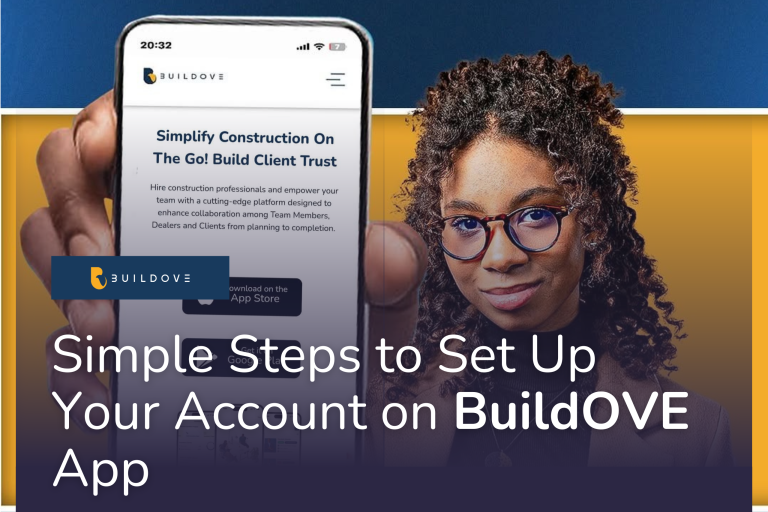
Simple Steps to Set Up Your Account on BuildOVE App

BuildOVE is Nigeria’s innovative construction project management application designed to streamline all phases of construction projects from planning to execution. The app allows users to manage tasks, track project progress, estimate cost and facilitate real-time collaboration among team members. In addition, the app offer tools for hiring skilled construction professionals including project managers, architects, building engineers, laborers and lots more.

This week’s blog post is dedicated to assisting Users set-up their BuildOVE Account with ease and ensuring immediate access to an amazing world of possibilities that is powered by AI. 

To transform your construction project management experience, follow the 6 simple steps below:

Step 1: Download the BuildOVE App

To begin, download the app:

  1. Visit the App Store (for iOS devices) or Google Play Store (for Android devices).
  2. Search for BuildOVE.
  3. Tap Install to download the app on your device.


Step 2: Create Your Account

  1. Open the BuildOVE App: Once the app is installed, launch it on your device.
  2. Tap “Sign Up”: On the welcome screen, click the “Sign Up” button to start the registration process.
  3. Choose Your Registration Method
    • Email: Enter your email address and create a secure password.
    • Google: Use your existing Google account for seamless sign-up.
    • Apple ID: If you’re using an Apple device, you can sign up with your Apple ID for added convenience and security.


Step 3: Complete Your Profile

Personalize your BuildOVE account to get the most out of the app:

  • Enter Personal Details: Add your name, phone number, email address and password
  • Select Professional Role: Choose the role that best describes your position, such as homeowner, contractor, project manager, or architect.
  • Verify Your Email Address: Check your email for a verification link and click it to confirm your account.


Step 4: Set Up Your Workspace

Optimize your BuildOVE experience by configuring your workspace:

  • Configure Project Categories: Organize your projects by categories such as residential, commercial, or custom builds.
  • Invite Team Members: Add collaborators like contractors, project manager, or clients to streamline communication.
  • Set Notification Preferences: Choose how you will like to receive update, which can be via email, in-app notifications, or SMS.


Step 5: Security Best Practices

To protect your account and project data, follow these security recommendations:

  • Use a Strong Password: Create a password that combines letters, numbers, and special characters.
  • Enable Two-Factor Authentication (2FA): Add an extra layer of security by requiring a verification code for login.
  • Keep the App Updated: Regular updates ensure you have the latest features and security enhancements.


Step 6: Getting Help

If you encounter any issues during setup or use, BuildOVE offers robust support options:

  • In-App Support Chat: Access live chat directly in the app for quick assistance.
  • FAQ Section: Explore the FAQ sections to access solutions to common problems.
  • Customer Support: Reach out to BuildOVE’s dedicated support team via email or phone for further help.

Troubleshooting Common Issues

1. Cannot Download the App:

  • Ensure you have a stable internet connection
  • Check if your device meets the minimum OS requirements for BuildOVE
  • Free up storage space on your device (The App size is 36MB)


2. Unable to Sign Up or Log In:

  • Double-check your email and password for accuracy
  • If you forgot your password, use the “Forgot Password” option to reset it
  • Ensure you have verified your email address by clicking the link sent to your inbox


3. Verification Email Not Received:

  • Check your spam or junk mail folder
  • Ensure you entered the correct email address during registration
  • Request a new verification email via the app


4.  App Crashes or Freezes:

  • Restart your device and reopen the app
  • Clear the app cache in your device settings
  • Update the app to the latest version


5. Issues with Workspace Setup or Inviting Team Members:

  • Ensure you have a stable internet connection
  • Verify that you have entered the correct email addresses for team members
  • Contact BuildOVE support if you encounter repeated errors


6. Notification Issues:

  • Check that notifications are enabled in both the app and your device settings
  • Update notification preferences in the app settings

Start Building Smarter with BuildOVE

Once your account is set up, you are ready to take full advantage of BuildOVE’s innovative tools. Manage your construction projects with efficiency, accuracy, and ease like never before.


Download the BuildOVE app today and revolutionize the way you manage construction projects!

Visit www.buildove.com to learn more about BuildOVE or follow us on social media @buildoveapp for more helpful tips on effective construction project management. 

Share:

Be the first to get access

Hire construction professionals and empower your team with a cutting-edge platform designed to enhance collaboration among Team Members, Dealers and Clients from planning to completion.

Streamline all phases of construction projects, from planning to completion.

© 2026 Buildove. All Rights Reserved

Contacts

7, Rasheed Alaba Williams Street, Lekki Phase 1, Lagos, Nigeria.

Email

info@buildove.com